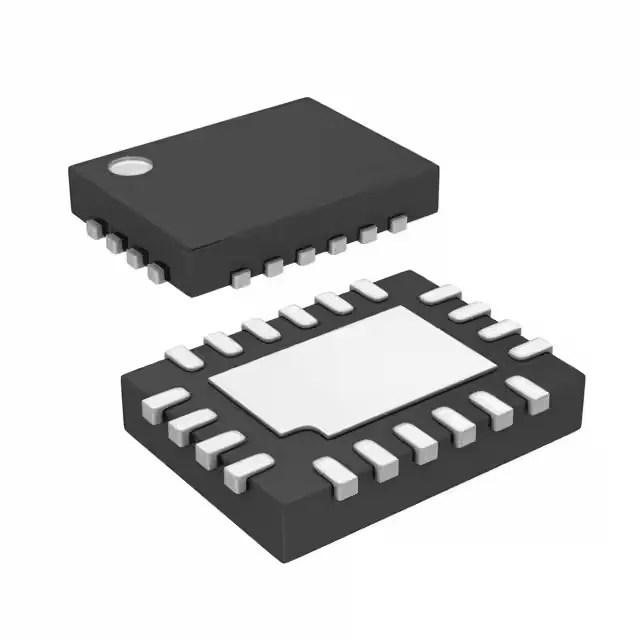
Microchip Technology DSC400-1311Q0076KI2 — Crystals & Oscillators

DSC400-1311Q0076KI2 MEMS XO – 4-Output LVCMOS/LVDS, ±25 ppm

MPNDSC400-1311Q0076KI2
Active

Microchip DSC400-1311Q0076KI2, XO (Standard), MEMS-based, 4 outputs: 24 MHz, 25 MHz, 200 MHz, 150 MHz, LVCMOS/LVDS, ±25 ppm stability, -40 to 85°C, 2.25-3.6 V supply, Enable/Disable, 20-VFQFN exposed pad.

Independent supplier — new & surplus stockAuthenticity-screened · ESD-safe packingListing updated Aug 2026

Specifications

DSC400-1311Q0076KI2 specifications
ParameterValue
TypeXO (Standard)
SeriesDSC400
Supply voltage2.25V ~ 3.6V
Frequency stability±25ppm
Frequency - output 124MHz
Frequency - output 225MHz
Frequency - output 3200MHz
Frequency - output 4150MHz
Operating temperature-40°C~85°C
Height0.035\" (0.90mm)
Size (Dimension)0.197\" L x 0.126\" W (5.00mm x 3.20mm)
OutputLVCMOS, LVDS
PackageTube
FunctionEnable/Disable
Base resonatorMEMS
Case20-VFQFN Exposed Pad

Product details

The DSC400-1311Q0076KI2 is a MEMS-based XO (Standard) that delivers four independent LVCMOS or LVDS outputs at 24 MHz, 25 MHz, 200 MHz, and 150 MHz — replacing up to four discrete oscillators on the board.

Supply voltage and output control for mixed-voltage systems

A single 2.25 V to 3.6 V supply rail covers both 2.5 V and 3.3 V logic families, eliminating the need for a separate voltage regulator on the clock tree.

Package and footprint for dense board layouts

Housed in a 20-VFQFN exposed-pad package measuring 5.00 mm x 3.20 mm with a 0.90 mm height, the DSC400-1311Q0076KI2 fits tight PCB stacks and benefits from a thermal pad for heat sinking.

Frequently asked questions

Does DSC400-1311Q0076KI2 have an enable/disable function?

Yes, the device includes an Enable/Disable function, allowing the outputs to be gated for power sequencing or test modes.

Is DSC400-1311Q0076KI2 pin-compatible with other 20-VFQFN oscillators?

The DSC400-1311Q0076KI2 uses a 20-VFQFN exposed-pad package, but pin compatibility with other oscillators depends on the specific device's pinout. Confirm the pin assignment against your layout before substitution.